Showing posts with label Paper Clutter. Show all posts

Monday, January 5, 2015

My New Project Organizing Tool


I have several different projects going on each year and I finally gave in and realized I am a paper project planner girl.  I have tried to plan projects digitally and it has not worked so I found this gem and I am so happy!  

This is the ARC system from Staples.  It is a notebook you can modify - adding pages, dividers, and other contraptions you might need to keep yourself organized.  It also allows you to buy bigger discs to enlarge the notebook, as your notes and project expand.  There are different colors to choose from but for this particular project I chose this oh so pretty pink! 

These are the pages that come with each notebook.

These are the "add ons" I put in my notebook to organize. 
I have pocket dividers for smaller papers and papers in which I don't want holes punched.  

Tab Dividers are essential for dividing your content into different categories. 


This zip pocket add on will be great for pens and other things that need to be contained. 

I printed out and added this calendar.  How did I add this calendar, you might ask? Well, look below and I will show you my secret!


First, I had to buy one of these specialized paper puncher things.  This is not your standard 3 hole punch.  The ARC system has 12 holes so you need the special 12 hole puncher.  Staples sells these, 
with the ARC system, but the cost of the one they 
sell is around $42.  I did not want to spend that much so I checked around and found this one sold by Levenger for $17!  It doesn't punch as many pieces of paper at one time but that was not an issue for me. 


So, I took my handy dandy new hole punch and punched the holes I needed into my calendar and inserted it into my oh so pretty pink notebook.  


Now I am all ready for my project planning in 2015.  


Wednesday, August 20, 2014

10 Ways to Use Evernote


Evernote is one of my favorite paper buster tools.  When I use Evernote, I don't have a bunch of sticky notes sitting around.  I don't have notes written on little pieces of paper and best of all, I don't have to remember where I put those pieces of paper!

The information I have stored in Evernote can be seen on my phone, IPAD or computer.  If I am away from home and need the information, it is right at my finger tips!

Here are 10 ways I use Evernote to cut down on my paper clutter:

1.  Evernote Clipper allows me to save information I find on the web and organize it in folders.  I name the folders (just like you do in a paper filing system) based on how I want to retrieve the information.   For example, if I find an article about de-cluttering, I Evernote clip it and "file" it in my folder - De-Clutter Information. 

2.  I love a good quote.  I file quotes in Evernote.

3.  Air Filter sizes, printer cartridges, water filter types....all of those pesky household items that are size specific are filed in Evernote so I have access to them when I am in the store ready to buy them.  

4.  Birthday lists......need to remember when someone's birthday is and you are not at home with your master birthday list....store it in Evernote.

5.  Christmas lists!  Each year I write down who I am giving a gift to and what I gave.  I can easily refer back to the previous years and make sure I am not duplicating gifts!

6.  Writing down your goals is an important step to achieving them.  I keep my personal and business goals housed in Evernote.  

7.  Paint color lists....can't remember the name of that wonderful color you used in the bedroom....keep it in Evernote.  

8.  Evernote is a place I keep ideas.....writing ideas, newsletter ideas, gift ideas....things that come to mind that I don't have a need for right now but will want to refer to later.  

9.  Phone numbers - people I don't need very often....like a carpenter/handyman or closet designer.   If I store that person in my contacts, on my phone, I may not remember his/her name but if I store it in Evernote....I can quickly retrieve the name and number.  

10.  Medication lists.  This is a great thing to have in Evernote when you go to the doctor.  I personally and thankfully don't have any medications I take but for those that do, this is a great way to have that information with you each and every time you have a doctor visit. 

Hope this helps you think outside the box and find new ways to cut down on paper clutter with Evernote!

Click the link below to sign up free for Evernote today!

https://www.evernote.com/referral/Registration.action?uid=3419289&sig=6e5801be47bbde149f93d1a898bfaef2

Saturday, October 19, 2013

The Smartphone To Do List


I have an IPHONE 4 so I do not have the latest and greatest of all things techie.  I do like my IPHONE 4 because it does what I need it to do but I am sure it will do more.

I have used several things on the IPHONE that I love but today I will focus on To Do Lists that are available for most Smartphones since I promised a follow up blog to my To Do List post (declutterbugnc.blogspot.com).
 I am going to admit I am still and paper list girl.  In a survey of all To Do List people, it was found that about 1/2 of the population is still paper To Do List people.  Really, I am a combo, since my calendar is housed on my IPHONE, but essentially, my daily tasks and grocery lists are on paper. 

Having confessed that, I do have good information about Apps for To Do Lists on Smartphones. As a member of the National Association of Professional Organizers (NAPO for short and yes, there is such an organization and it is really big and worldwide), I have access to a lot of different organizers and information that keeps me up to date on many of the APPS on smartphones that are working well.  So, below, I am listing 7 Techie To Do Lists recommended by smart, sharp organizers around the world.  

Some of these Apps are free, some are free but have premium services for an extra fee and others have a monthly or annual fee.  Some are a bit more complicated and detailed than others so look carefully at what your real needs are in a To Do List and stay away from bells and whistles that you don't need or won't use. I have linked each of these to their website; just click on the APP name. 


1.  Todoist.com

2.  Things

3.  Rememberthemilk.com

4.  Priorities

5.  Nozbe.com

6.  Toodledo.com

7.  MiniMaList

Take a few minutes, find out which one might work for you and try it out.  I just might, too! 

Saturday, October 5, 2013

Confessions of an Organizer - Filing

Since I am laying it all out there, I might as well confess all. 

Filing........I hate filing.  Yep, the organizer said it......she hates filing.  It is just a tedious task that I like putting off!  It is also important to note that I work most days, all day, except for Sundays and I do a lot of computer work at night and try to spend time with my husband  so filing moves to the bottom of the things to do list! 
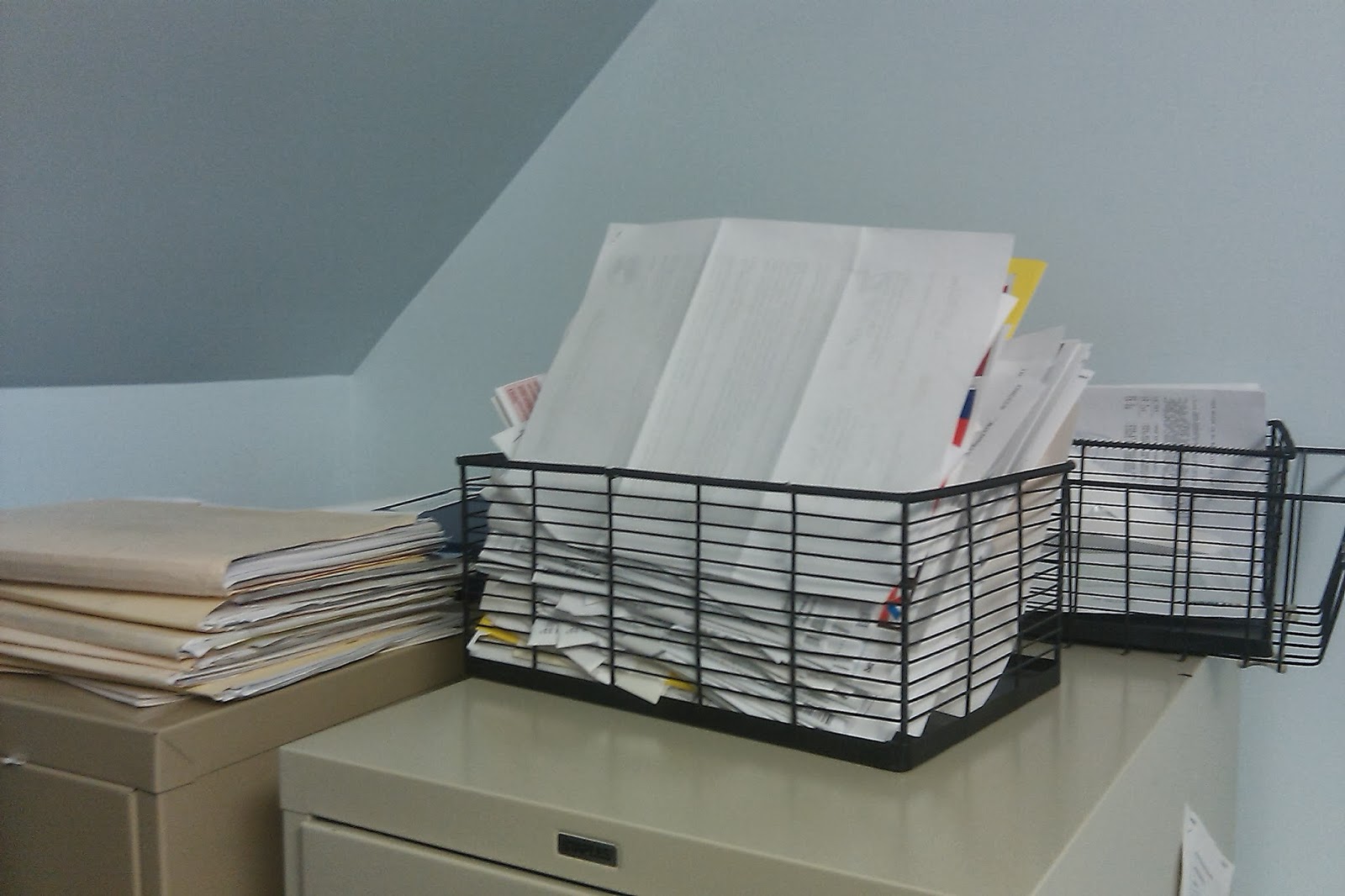
That being said, you can view the pictures of my "in-between" filing system. The "in-between" filing system consists of two clear shoe boxes (bought at Dollar Tree for $1) and another filing container found at Staples - bought because I liked it and it is bigger.

This first picture is my temporary living space of bills that need to be paid or for information that I need to deal with about the same time I am paying bills


This second picture is my box for my bank statements.  I just need a place to house them until tax season rolls around.  Yes, I should have paperless bank statements just haven't made that last step......maybe 2014 resolution


This last picture is my "to do" filing.  This is when things have reached this place of file purgatory before arriving at the final filing destination.  This stack is about 6-8 months worth of filing so it is not all that much.  One day I take about an hour and do a final sort and get them all in their final labeled folders. 


Speaking of folders, I will do a double confession tonight.  My folders do not all match, are not cute or colorful and they are not all labeled with a printed label.  Many of the labels are handwritten and several used more than once.  Yep, that may do it, I am going really be kicked out of the Association of Professional Organizers now!!

 All this confession really is an attempt to encourage anyone that feels like paper is overtaking their lives.  Perfection is not the goal.  The goal is only keeping the papers you really need and having these papers in a place where you can put your hands on them at a moment's notice.  It obviously doesn't  have to be beautiful, it just needs to make sense to you and it preferably is put in an area where it will not co-mingle with all the other things/papers  in your life.  
So fellow paper shufflers, get to that stack of bills, mail and other papers, throw away, shred and get rid of what you don't need and figure out a system that will work for you! 


Friday, October 4, 2013

Confessions of an Organizer - Paper Stacking

I am a Certified Professional Organizer.  When most people think of that term they  immediately think of Martha Stewart......well Martha Stewart I am not.  Don't get me wrong, I really am organized it's just that I don't live in a magazine. I don't have everything color coded and perfectly labeled.  I don't have all my papers filed immediately and I certainly have not had time to hand make all my Christmas decorations. 

I am a Certified Professional Organizer but I have a confession to make.  I am a bit of a paper stacker!  I am stating publicly that I have papers stacked around my house. 

EXHIBIT A

The above photo shows a stack of miscellaneous papers that I have not had time to take care of or attack.  I am not even sure what is in the stack, I just know that it needs my attention or it would have not made it to the stack. So, see, I am a purposeful stacker!  I don't just throw any kind of paper in the stack, I have to know it needs further attention or follow up.  

Now, many organizers will tell you to put this stack of paper in a file folder with the label TO DO.  I am here to tell you if any of my papers go in any kind of file, they will never get done!!! For me, most filing is for when things are completed or I only need to go back to the file for reference purposes.  I don't know why my brain works this way but it just does and I know many of your brains work the same way. The beautiful thing about this stack is that it is sitting where I can see it, it is all in one neat stack and I will take care of it because I can see it.  

Many of my clients feel like they are less than organized because every single thing in their house is not in place; nothing could be further from the truth.   Sometimes you have to have a little mess to be organized.  Sometimes you need things in your field of vision in order for them to not be totally forgotten.  Sometimes you need a small paper stack to remind you that you have some things that need your attention! 

I am not advocating stacks and stacks and stacks because that means you are not stacking purposefully!  I am merely saying that you can give yourself some grace and have a stack or two of papers.  The key is to not let the stacks continue to stack but schedule some time to actually "attack the stack".  


Exhibit B

So, now I have to quit blogging and go attack my paper stack......and I would suggest you do the same!